Storage Inspector + Uninstaller for macOS

System Data, Made Clear.
Apps, Cleanly Uninstalled.

Trace shows what's taking up space – and removes apps (and leftovers) with control. Clear, not mysterious.

macOS 15+ · Intel & Apple Silicon
Apple Notarized Native to macOS Multilingual
Trace Dashboard

System Data: the gray bar that can be anything – except explained.

You know the drill: storage is full, but macOS only shows one huge gray bar called “System Data”. What's in there? Caches? Logs? App leftovers from programs you deleted ages ago?

Trace turns “something” into “oh, that's it”.

System Data: ???

The typical macOS storage bar – with a big question mark

Trace breaks it down, connects the dots, and removes things safely.

Make it visible

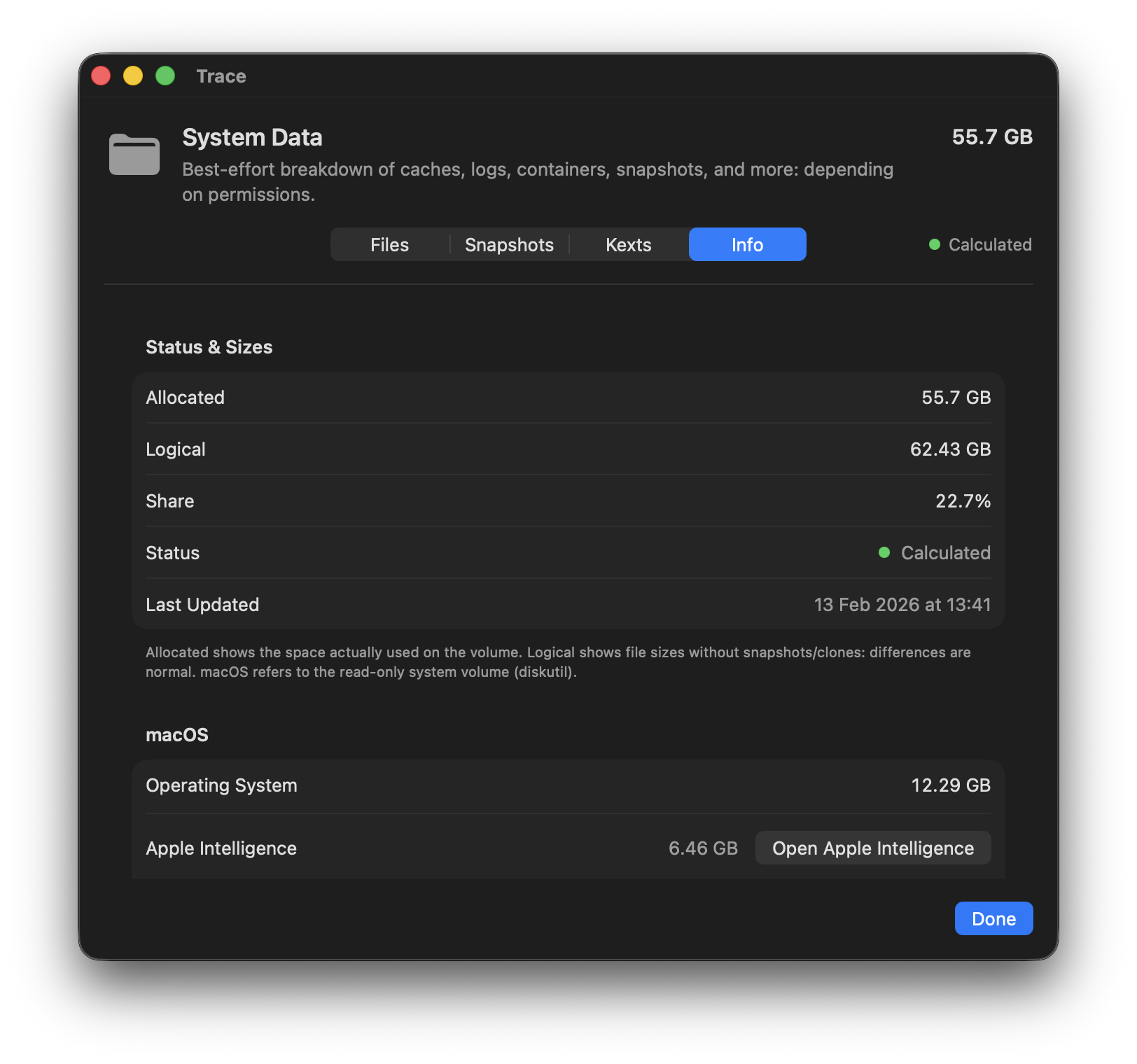
A dashboard in the macOS style – but deeper. System Data (best effort) broken down into caches, logs, containers, snapshots, and more.

Connect the dots

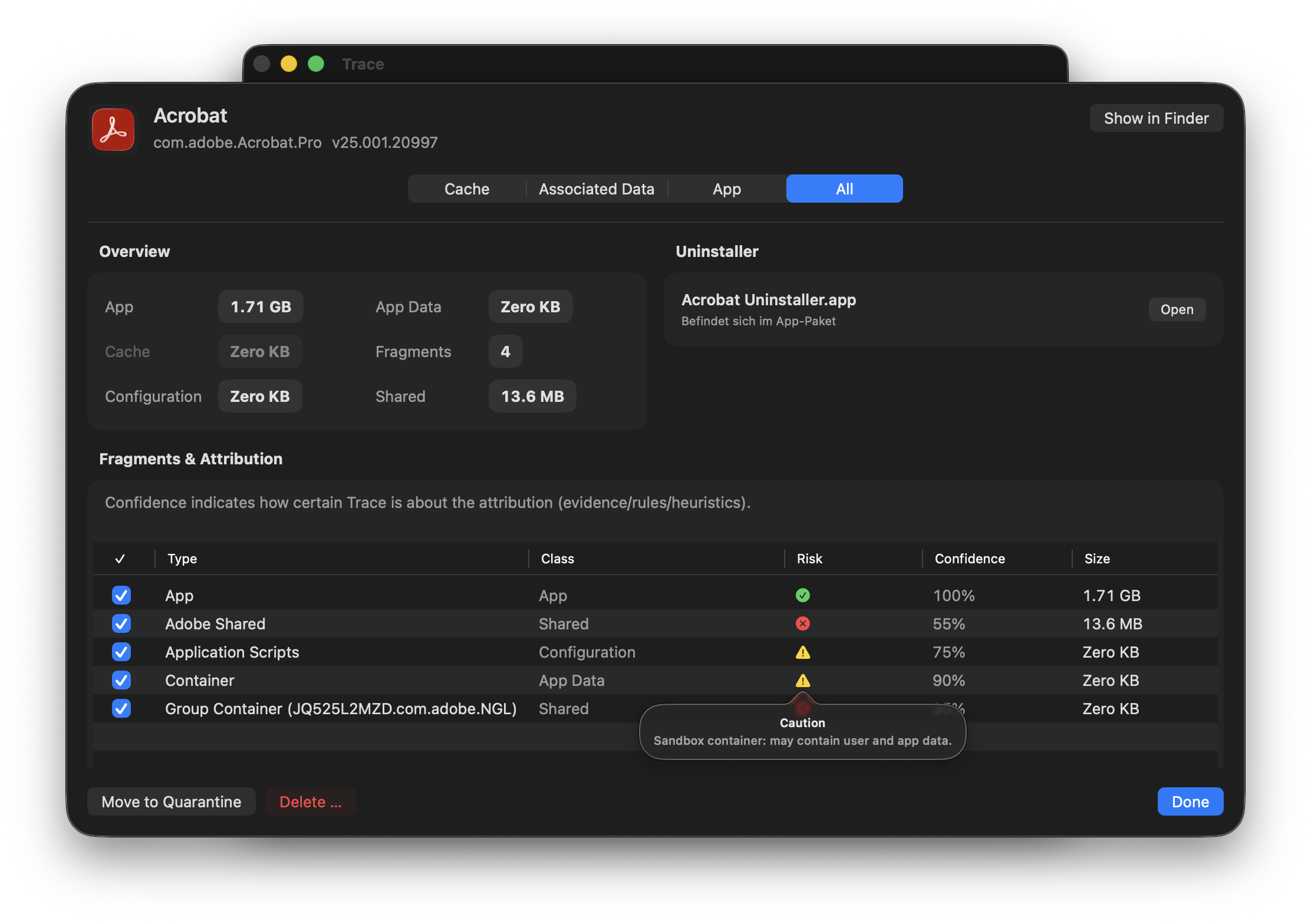
App footprint: bundle and data (containers, group containers, caches, preferences, logs). Every match is explained.

Act safely

Four cleanup modes from Cache to Everything. With preview, rationale, Quarantine, and Undo. No wrecking ball.

Everything you need – nothing you don't.

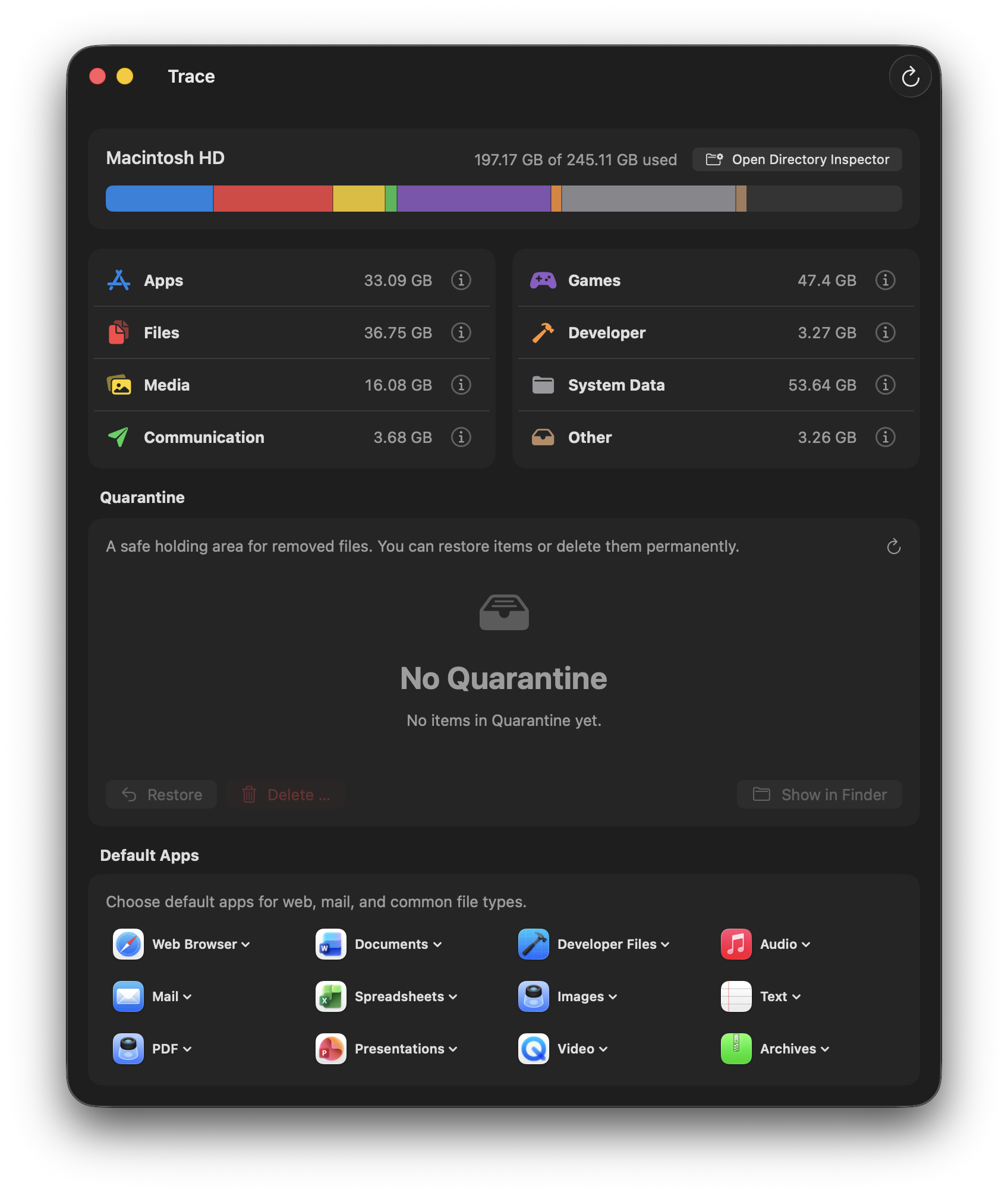
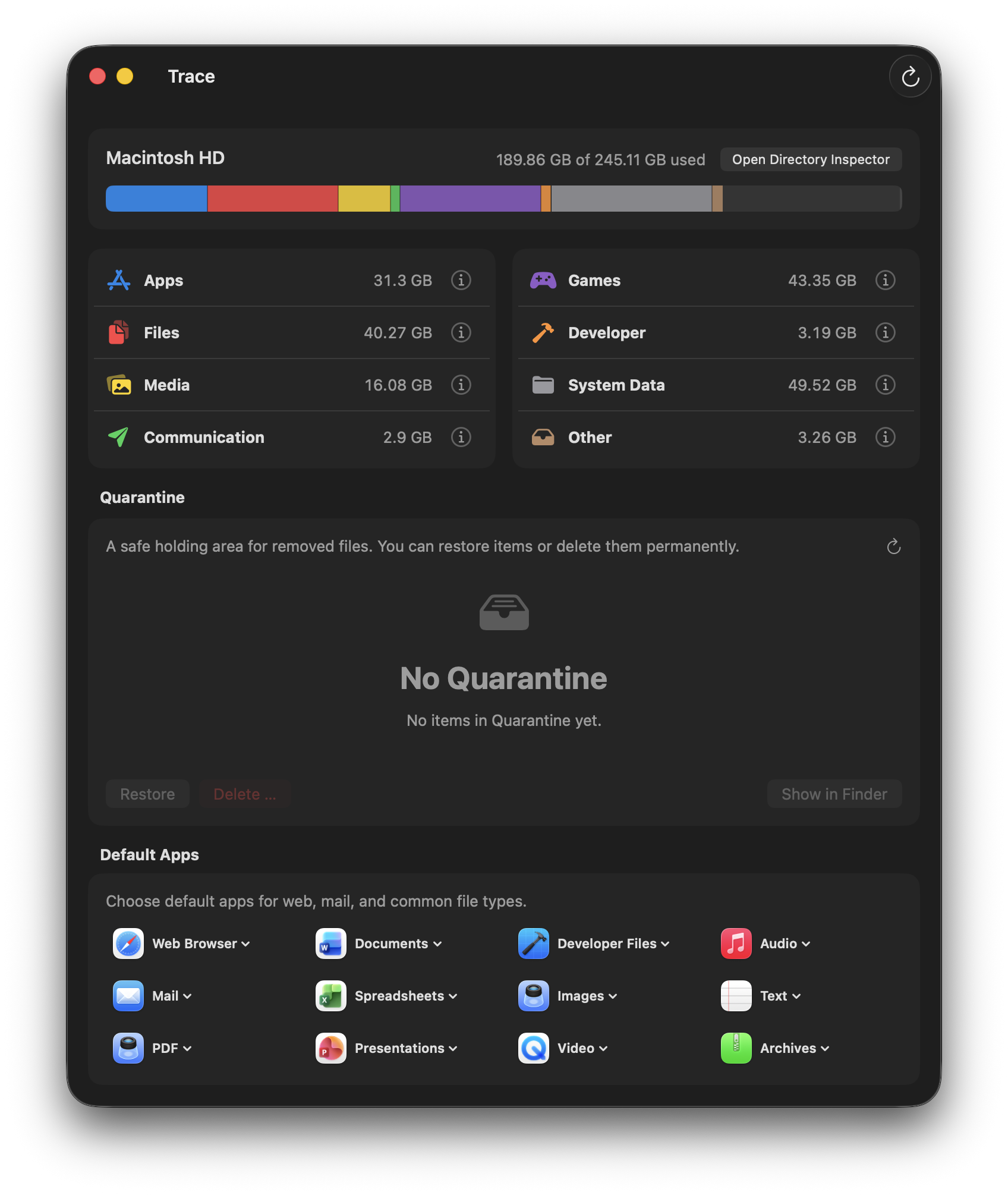
Storage Dashboard

Like Apple's Storage view – but transparent. See at a glance what's taking up space: apps, files, media, communication, development, and System Data.

  • Categories with drill-down
  • Allocated vs. logical size explained
  • Built-in Quarantine
Trace Storage Dashboard

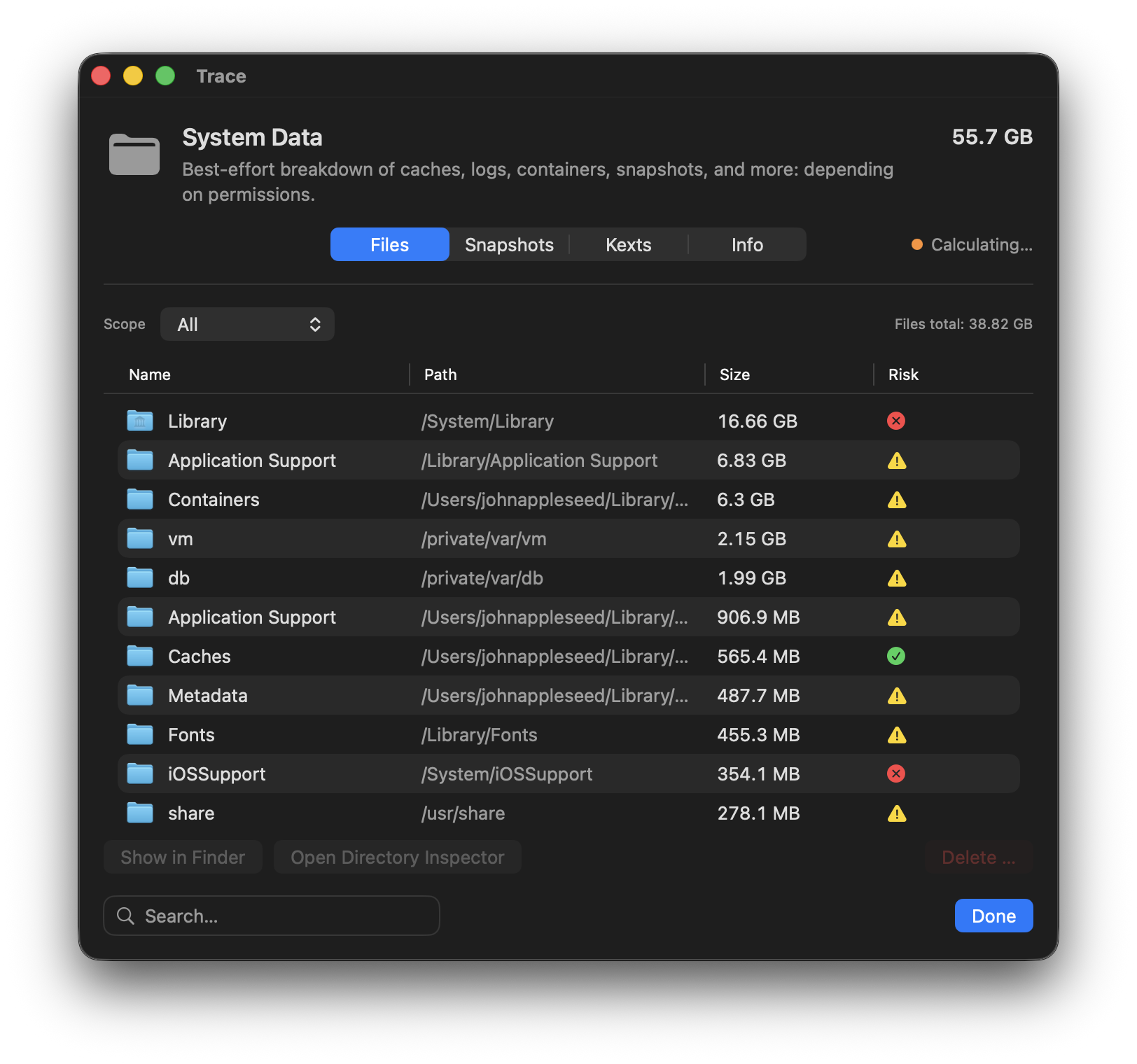
Break down System Data

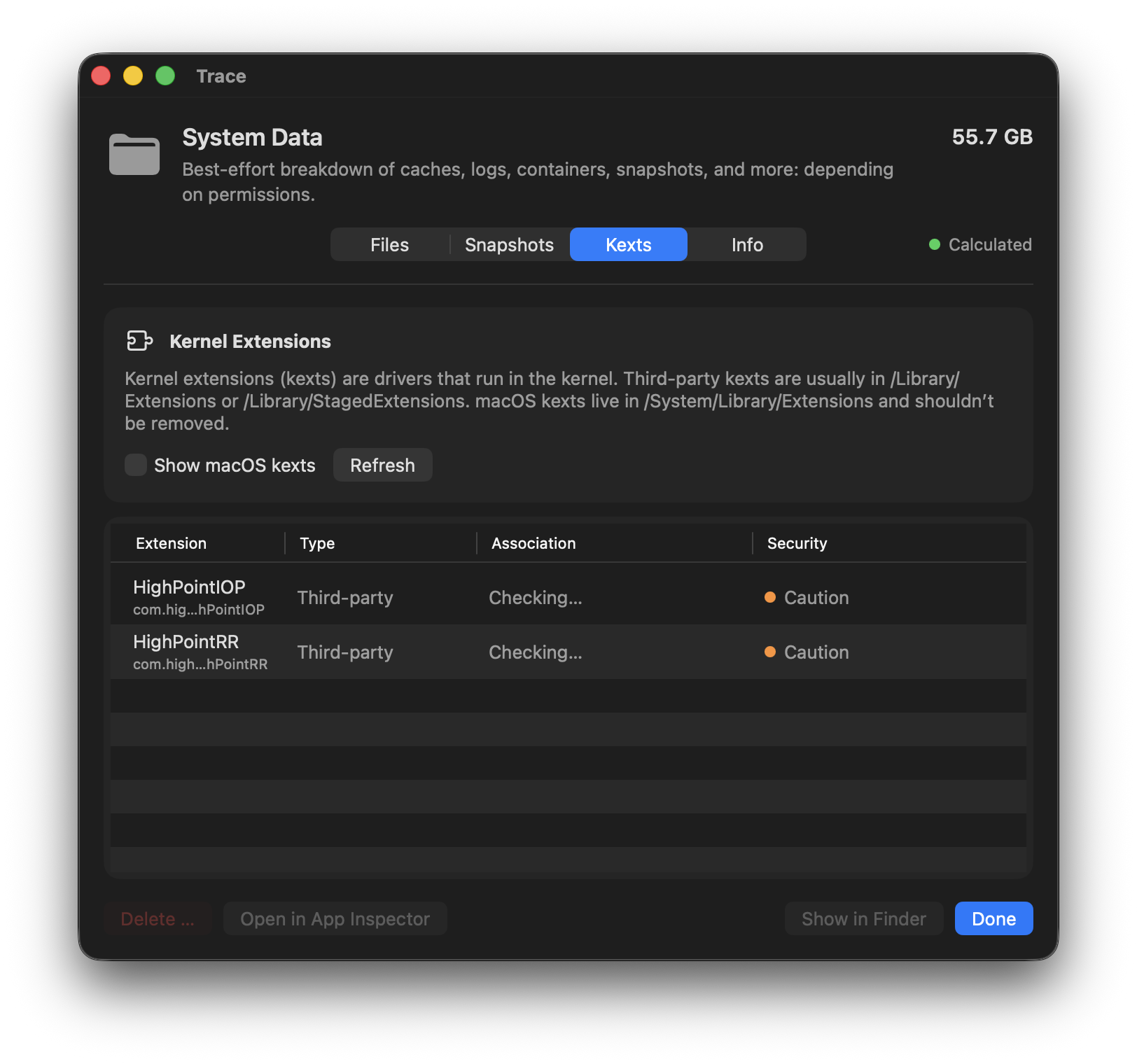
Best-effort breakdown of what macOS lumps into “System Data”. Finally understand caches, logs, containers, snapshots, and more.

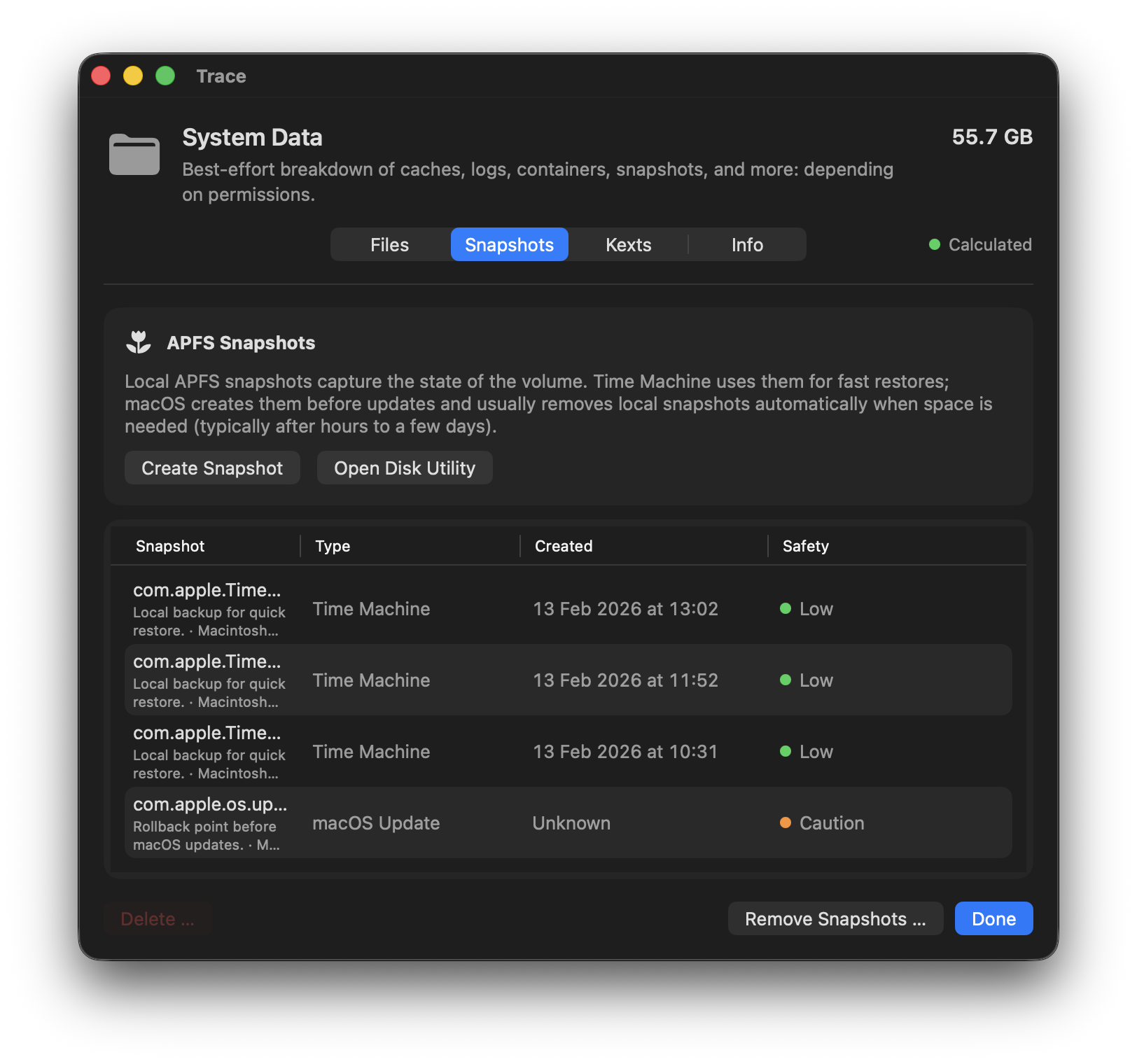
  • View and delete snapshots
  • Containers and group containers
  • Explanation for every entry
System Data breakdown

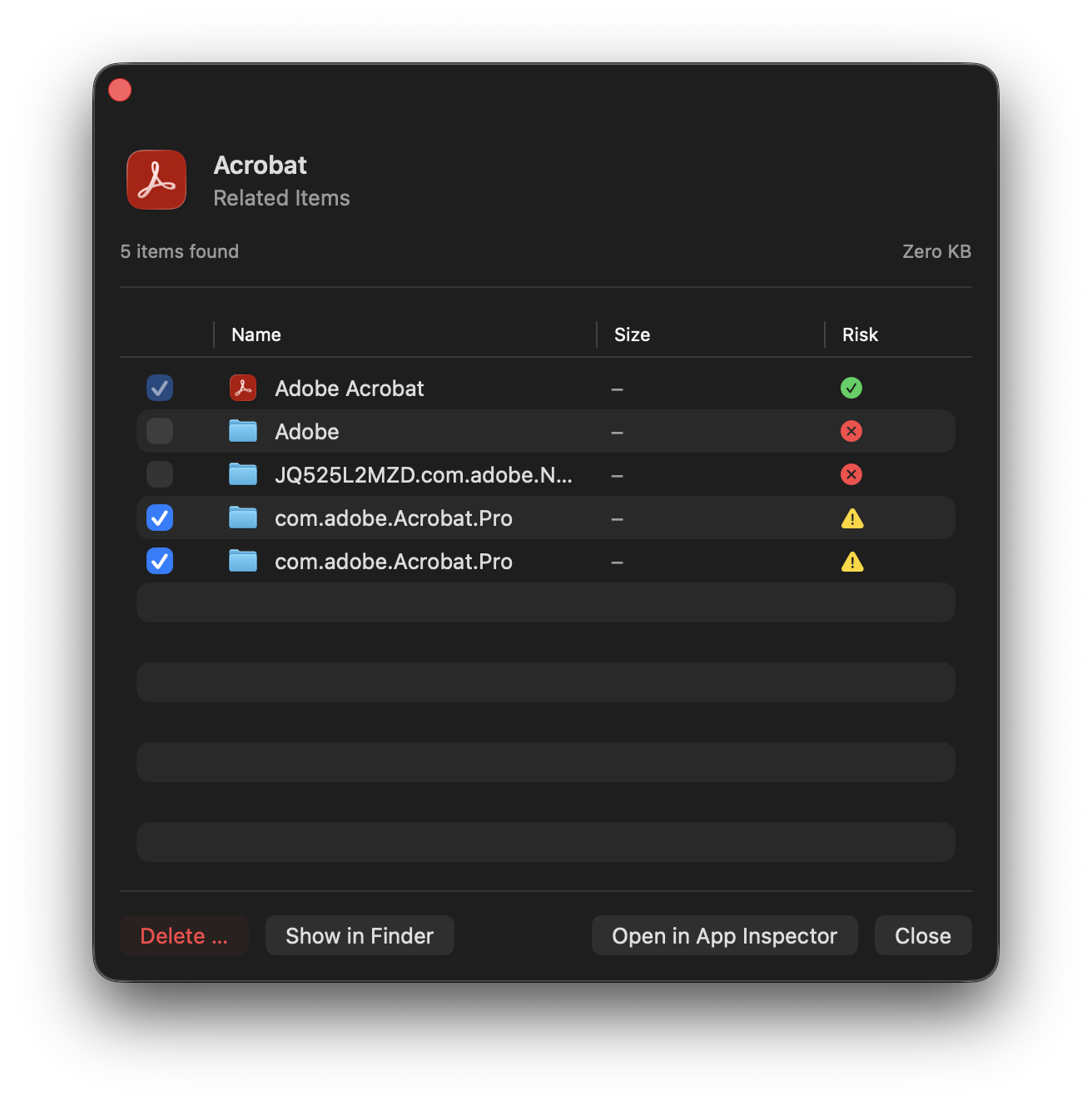
App Inspector

Look under the hood of any app. See exactly which data belongs to it – and why. With confidence scores and risk ratings.

  • Bundle vs. app data, separated
  • Evidence tooltips for every match
  • Shared data warnings
Trace App Inspector

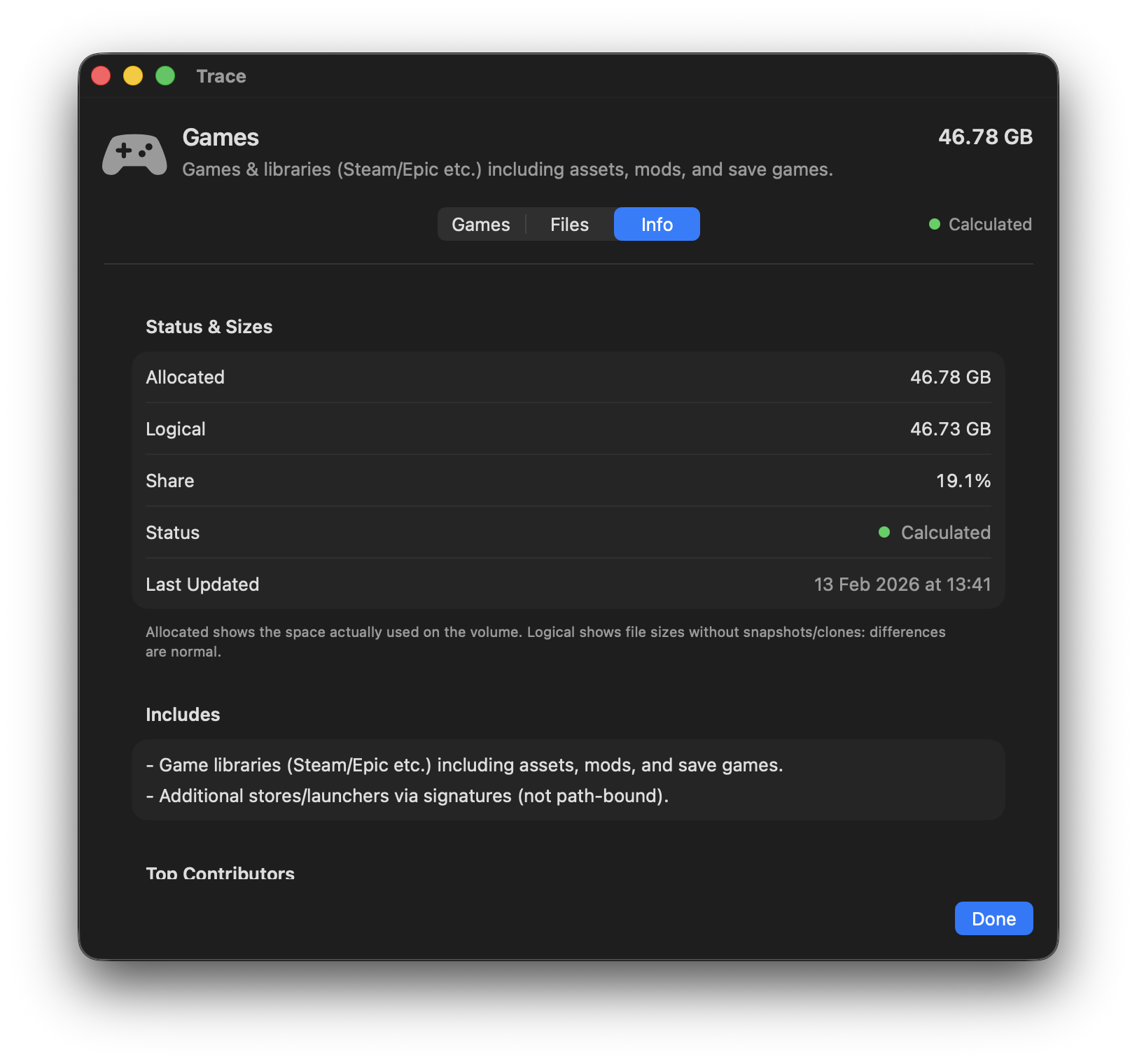
Manage games

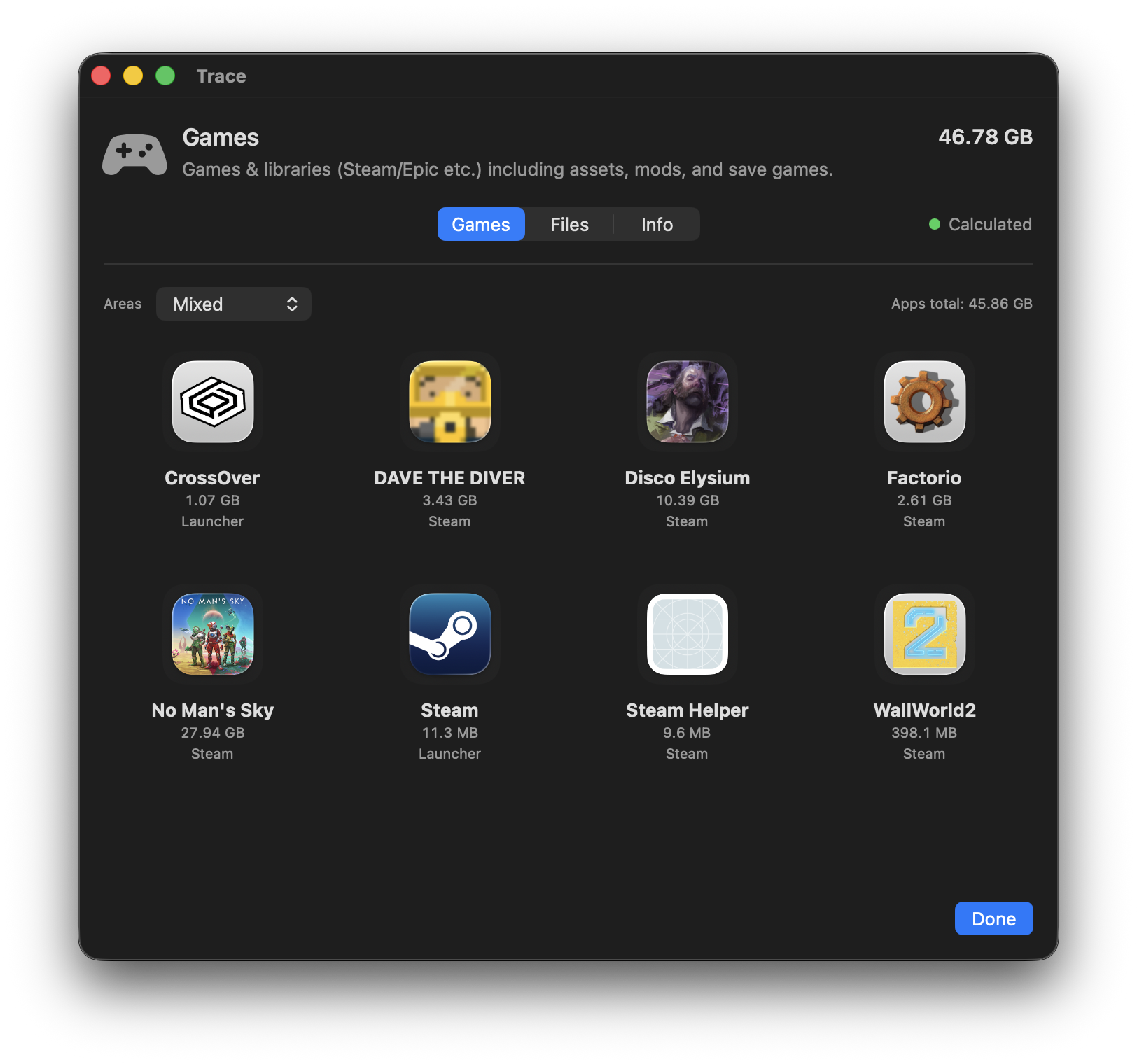
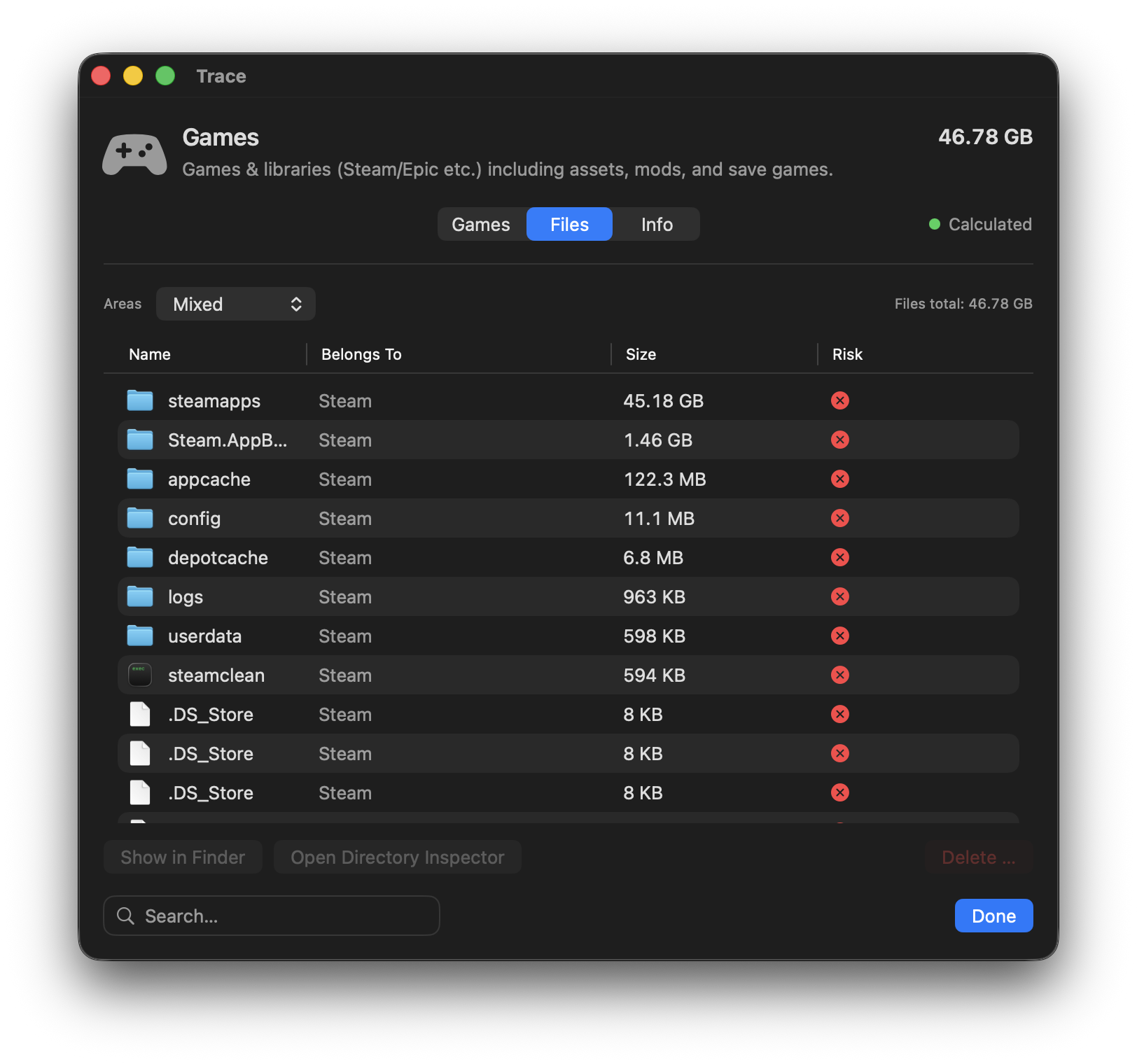
Game libraries from launchers (e.g. Steam) including assets, mods, and save games. Trace detects installed games cleanly and keeps them separate from regular apps.

  • Detects installed games via launcher manifests
  • Mods, caches & save games made visible
  • A dedicated Game Inspector for each game
Manage games

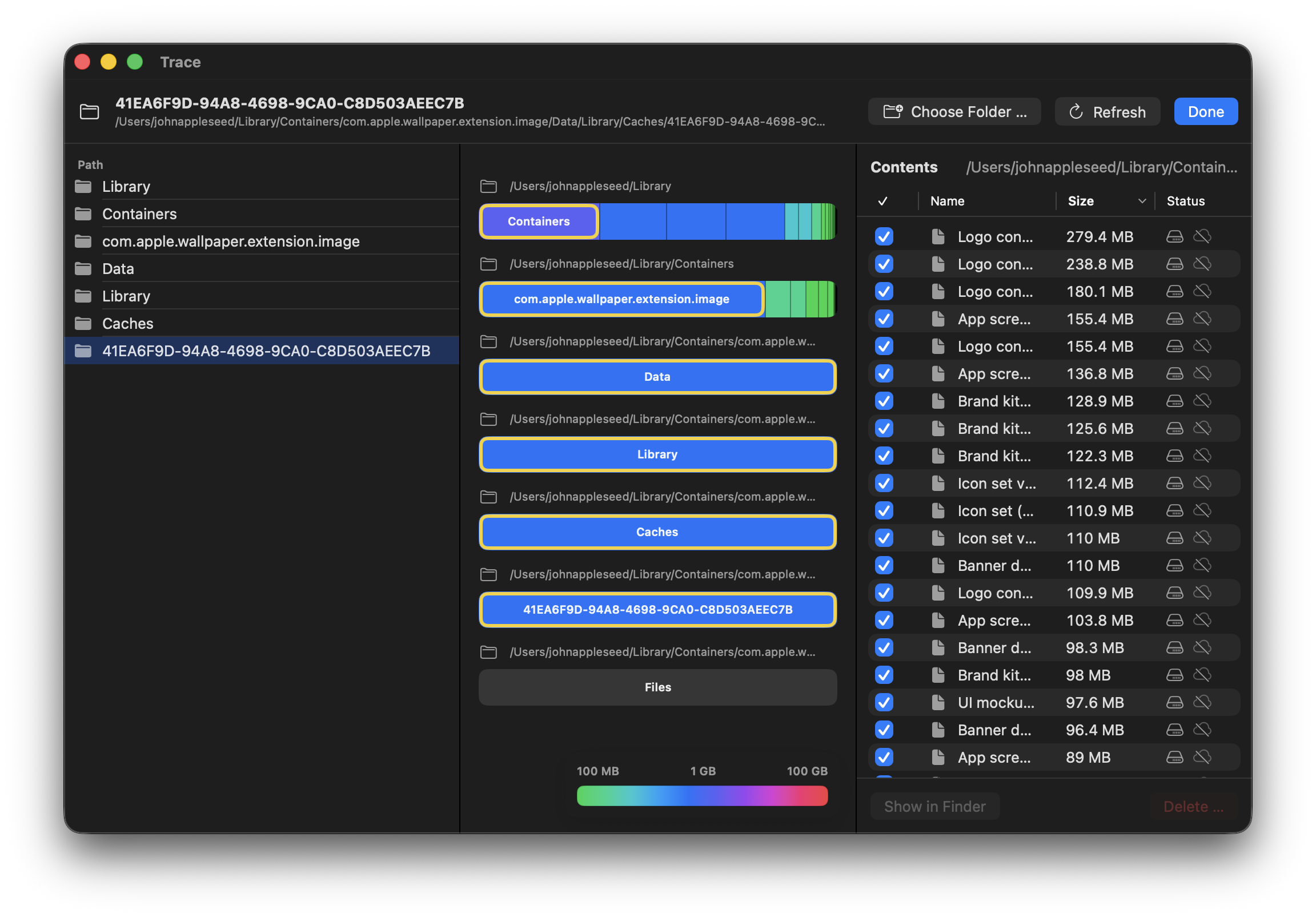
Directory Inspector

Analyze any folder or drive. Stacked storage bars show the size distribution per level – with drill-down down to individual files.

  • Stacked bars, color-coded by size
  • Cloud status (local/cloud) per file
  • Context menus and Finder integration
Directory Inspector

Trace Agent

TraceAgent can optionally run in the background and detects when you move apps to the Trash. Trace then suggests the right cleanup instead of deleting blindly.

  • Detects apps when you move them to the Trash
  • Finds related files based on evidence
  • Fully available in the Trace demo for free
Trace Agent

And more…

Quarantine & Undo

Removed items go to Quarantine. Restore them – or delete permanently – when you're ready.

APFS Snapshots

List, understand, and delete snapshots when needed – with guardrails and admin confirmation.

Default apps

Manage default apps for file types in one place – without digging through System Settings.

Cloud Storage

iCloud Drive and other cloud services: local vs. cloud-only. Free up space with one click.

Uninstall Homebrew packages

List installed formulae and casks and uninstall cleanly via brew.

Vendor Inspector

Curated profiles for well-known apps – Adobe, Microsoft, browsers, and more. More precise than pure heuristics.

Trace in 180 seconds

Clarity in three steps

1

Analyze

Trace scans your system and breaks down what's taking up space. Full Disk Access enables a complete analysis.

2

Understand

Every result is explained. Evidence tooltips show why an item belongs to an app – or what a file is.

3

Act

Remove apps and leftovers with preview and Quarantine. Undoable by default – nothing is permanent until you decide.

What Trace intentionally isn't

Not a “RAM cleaner”
Not a “performance booster”
Not a “spring-clean” app
No one-click wrecking ball

Trace is a Storage Inspector + Uninstaller: precise, explanatory, reversible.

Buy once. Use forever.

No hidden fees. All updates included.excl. VAT.

Single license

For one Mac

29 EUR
  • All features
  • Free updates
  • Email support

Enterprise

For teams and businesses

Custom
  • Unlimited licenses
  • Volume discounts
  • Dedicated support
  • Invoice billing
Contact

Frequently asked questions

Is Trace a cleaner?

No. Trace is a Storage Inspector + Uninstaller. No magic “optimizing” – just transparency and controlled actions with Undo.

Do I need Full Disk Access?

For a complete analysis: yes. Trace explains what works with and without FDA. Without it, results are clearly marked as incomplete.

Which cleanup modes are available?

Cache (rebuildable), Associations (sync-restorable), App (bundle + cache), and Everything (including user data). Every mode shows a preview.

Why do the numbers differ from macOS?

macOS uses internal heuristics and different categories. Trace measures more precisely at file level and uses transparent categories. Learn more in the documentation.

Can I delete snapshots?

Yes, with admin privileges and confirmation. Trace warns about OS/update-related snapshots. Deleting is permanent.

Why isn't Trace on the App Store?

App Store sandboxing prevents many features: full storage analysis, snapshot management, disabling background items, and a helper for system-wide actions.

Which macOS versions are supported?

macOS 15 (Sequoia) or newer, Intel & Apple Silicon. Older versions aren't supported.

Is there a demo?

Yes – there's a demo version to try. The demo includes analysis, explanations, and TraceAgent suggestions, but delete actions are disabled. Plus, there's a 14-day money-back guarantee if Trace isn't right for you.

Does Trace collect data?

No. No telemetry, no uploads, no cloud dependency. Everything stays on your Mac – exactly as it should.

Apple Notarized Verified by Apple
100% native to macOS SwiftUI & System-Frameworks
Multilingual EN, DE, DA, FR, IT, ES and JA
No telemetry Your data stays private

Ready for clarity on your Mac?

Download Trace and finally understand what's taking up space.

Download